Homova · property platform
A rental platform,
built end to end.
Homova is a property rental product: a public site people search, an account where they save homes, book viewings and apply to rent, and a staff portal on its own domain where every listing, message, appointment and application is actually managed. One database sits behind all three. This page explains what was designed and built, and what is and is not true about it.
- 60 properties
- 379 photographs
- 26 database tables
- 57 routes
Said plainly. Every property, person, enquiry, viewing and application in Homova is fictional demonstration data, created to show the product working at a realistic size. No home here can be rented, no tenancy is created by an approval, and no money is taken anywhere in the service.
The problem, and who it is for
Renting is a sequence of small anxieties: did that enquiry arrive, is the viewing still on, what is happening with my application. Most of it is invisible to the person waiting.
Homova was built around one decision: every request a renter makes gets a reference, a status and a history they can read. An enquiry is not a form that disappears into an inbox. A viewing is a slot a member of staff actually opened. An application shows the exact step it is on and what is needed next.
The same database serves the staff side, so what an agent changes is what a renter sees. Publishing a listing puts it in search. Marking it let takes it out, and the sitemap follows. There is no second system to keep in step.
- Audience
- People renting a home, and the staff letting it
- Scope
- Public site, renter portal, staff admin, database
- Market
- United Kingdom, rents in pounds per month
- Catalogue
- 60 homes, £575 to £3,250
The brand, taken from the original artwork
The identity already existed as an Illustrator file. Nothing here was redrawn by eye.
The colours and the mark were read out of the vector paths in the original Illustrator document, not sampled from a screenshot. The blue is the fill on the logo path. The wordmark charcoal is the fill on the lettering. The cream and the lavender are the two surfaces the original board is built on.
The mark is a house with a doorway arch cut out of it. That arch became the product’s signature device: it masks the hero photography, it tops the category tiles, and it shapes the icon plates. It is used where it means “a way in”, and nowhere else.
Typography is Space Grotesk, which is the typeface used in the brand original and is licensed for the web, paired with Geist for body copy and the dense admin tables. Both are served from this site’s own domain, so no request goes to a font host when a page loads.
Icons drawn on one grid
75 icons, all 24 by 24, all 1.75px stroke, all inheriting the colour around them.
The project pack included 46 starter SVGs. They were used as a brief for coverage rather than as finished artwork: several were incomplete, with a search icon that had no lens and a house with no roof, and none shared the Homova geometry. The set was redrawn. The home, door and key icons take their arch from the mark itself, so the most-used icon in a property product and the logo are the same idea.
- menu
- close
- chevron down
- chevron up
- chevron right
- chevron left
- arrow right
- arrow left
- arrow up right
- external
- more
- search
- filter
- sliders
- grid
- list
- map
- pin
- plus
- minus
- check
- home
- building
- door
- key
- bed
- bath
- area
- car
- garden
- balcony
- lift
- sofa
- leaf
- floorplan
- pets
- accessible
- heating
- wifi
- alert
- info
- check circle
- close circle
- clock
- shield
- lock
- eye
- eye off
- hourglass
- user
- users
- heart
- heart full
- bell
- message
- phone
- calendar
- star
- logout
- settings
- file
- file check
- upload
- download
- image
- camera
- edit
- trash
- link
- refresh
- chart
- card
- drag
One design system, four related modes
A marketing page and an admin table should be recognisably the same product without being the same design.
Colour, spacing, type scale and corner radius are defined once as tokens. Four modes redefine a few of those tokens together, so a mode change moves the canvas, the line colour and the corner radius at the same time.
Cream canvas, large type, generous air
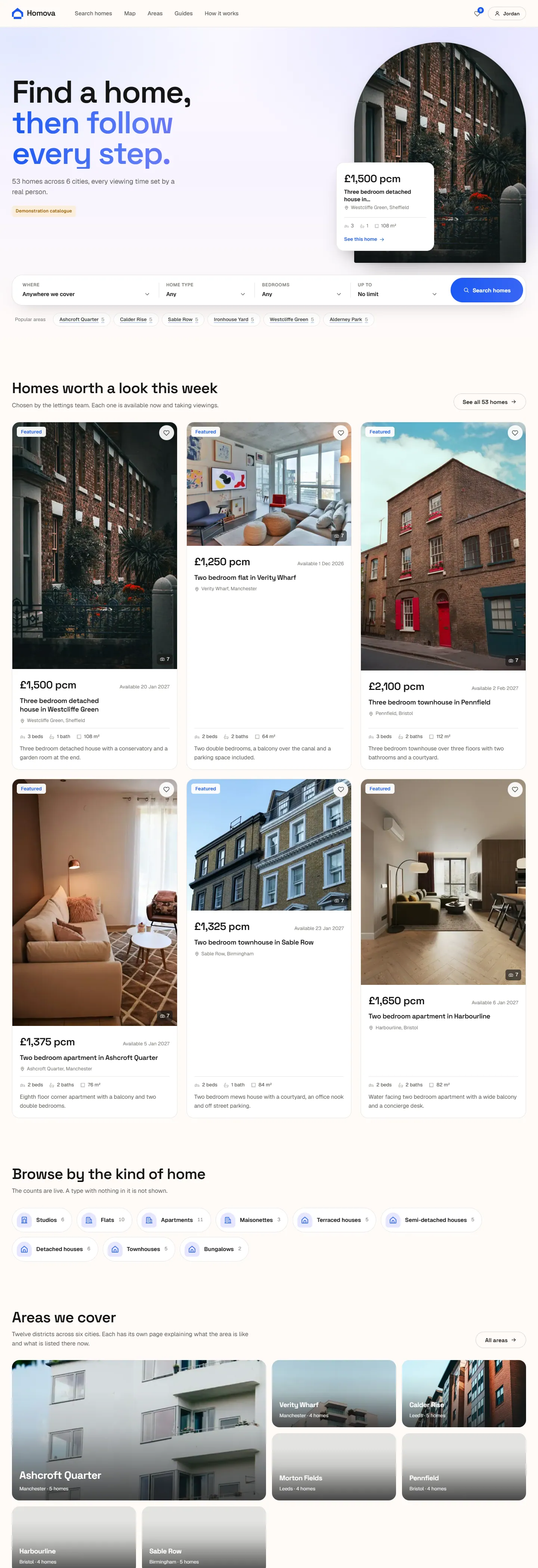
Home, areas, guidesWhite canvas, photography first, tighter cards
Search, map, property pagesLavender canvas, soft cards, status everywhere
The renter portalCool grey, square corners, dense tables
The staff applicationThe public site
Search that produces a URL, filters that are real SQL, and listings that tell the truth about themselves.
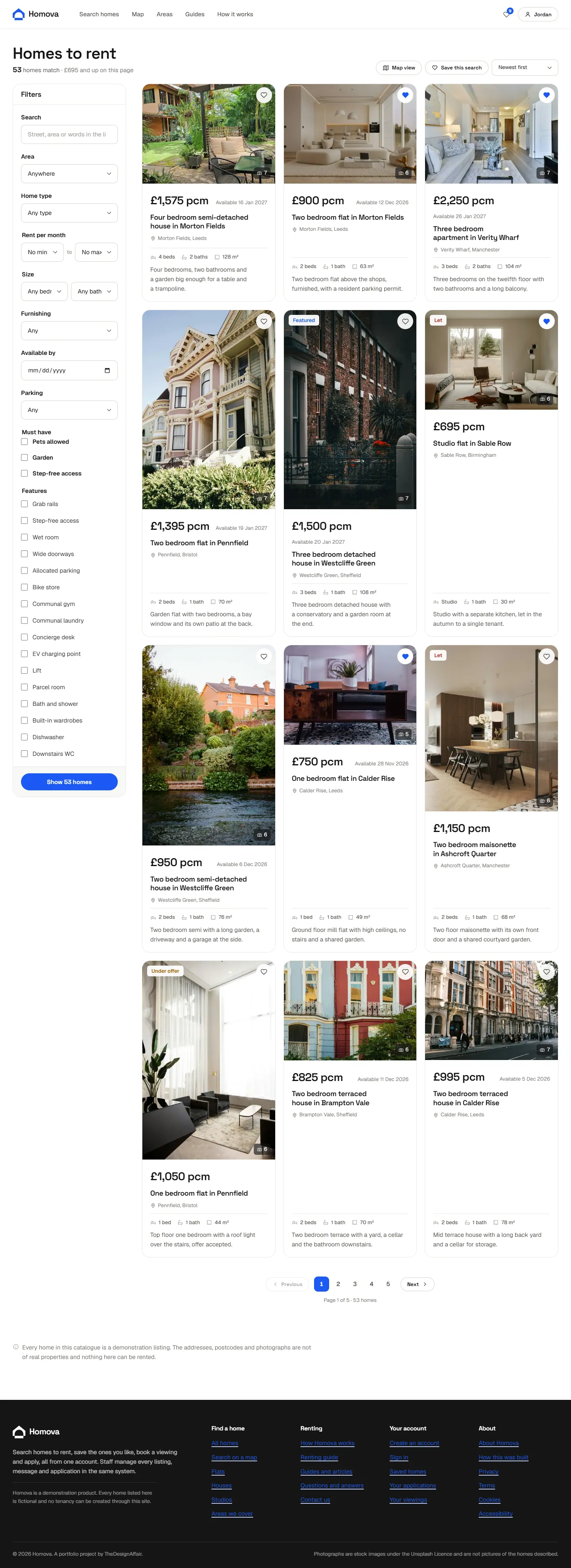
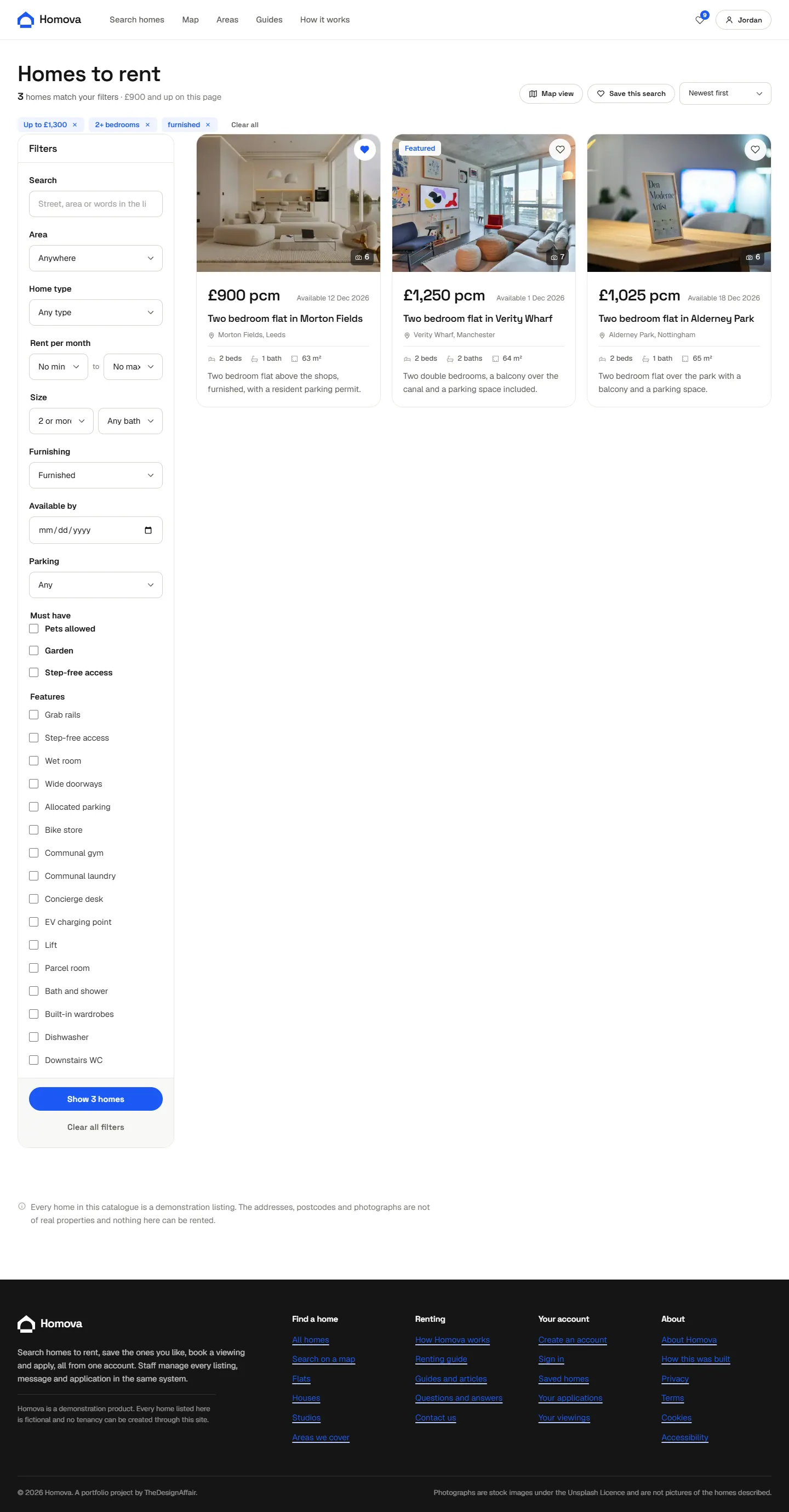
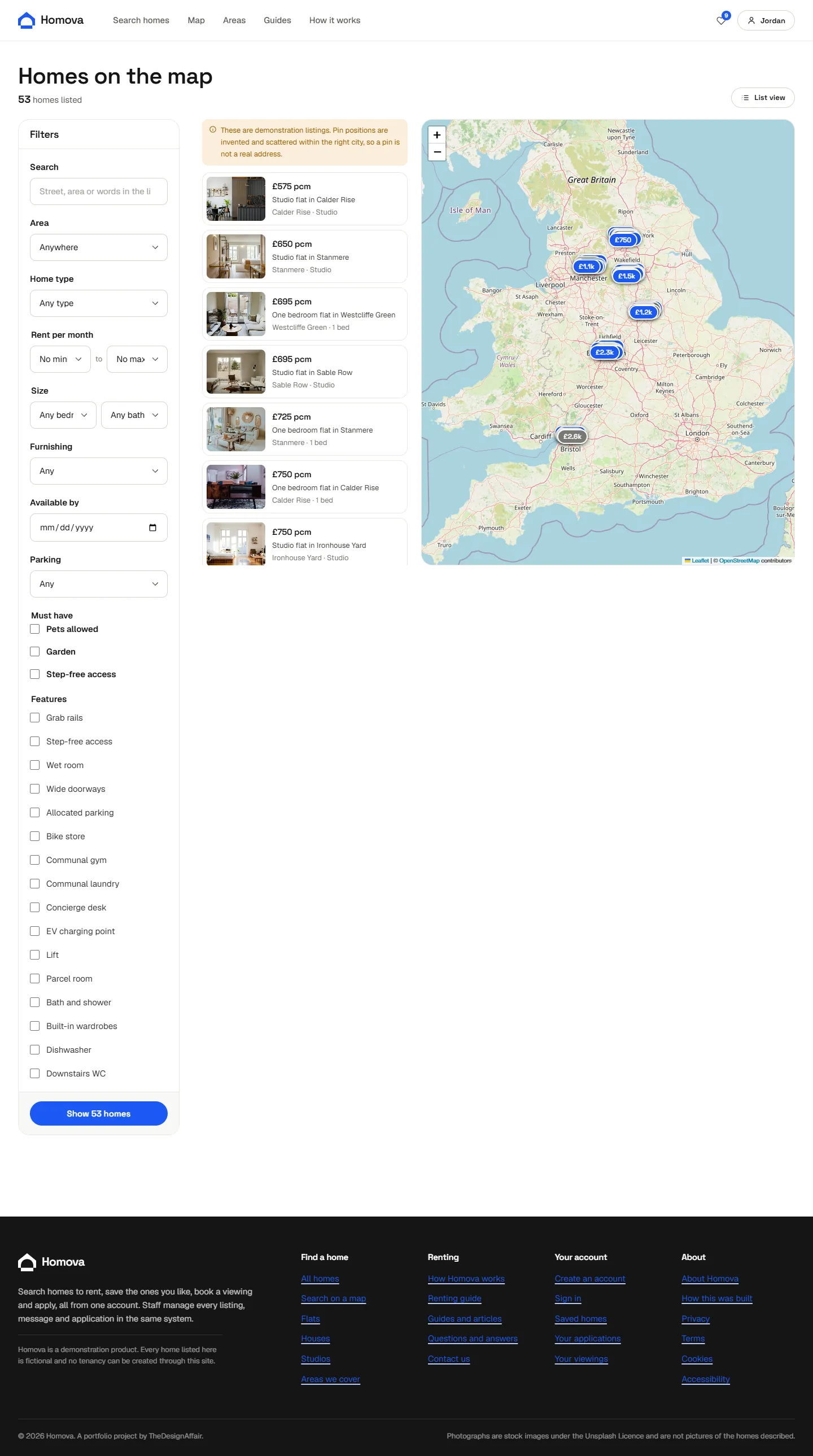
Filtering happens in Postgres with bound parameters, never in the browser. The page asks for twelve rows and a count; it does not fetch the catalogue and slice it. That is what keeps the counts honest and the page fast as the catalogue grows.
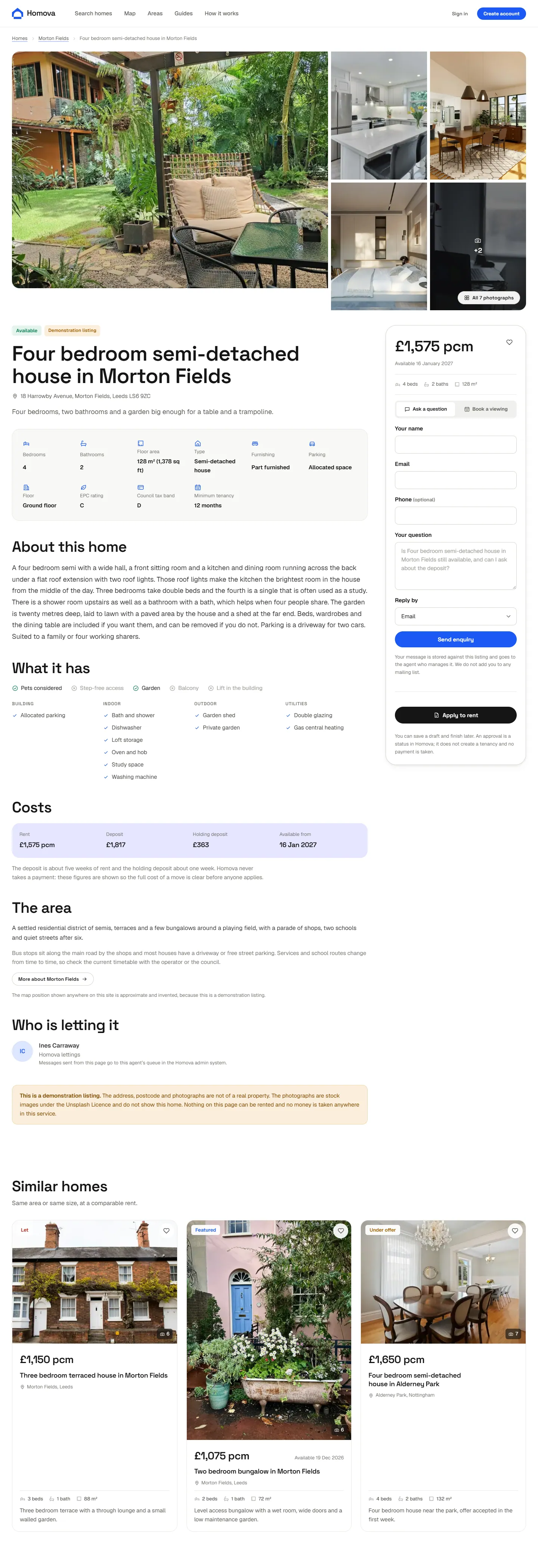
The property page states its status in the same words everywhere in the product, shows the deposit and holding deposit next to the rent so the real cost of a move is visible before anyone applies, and says on its face that the photographs are stock images and not pictures of that home.
What a renter can actually do
Save, ask, book, apply, and watch all of it.
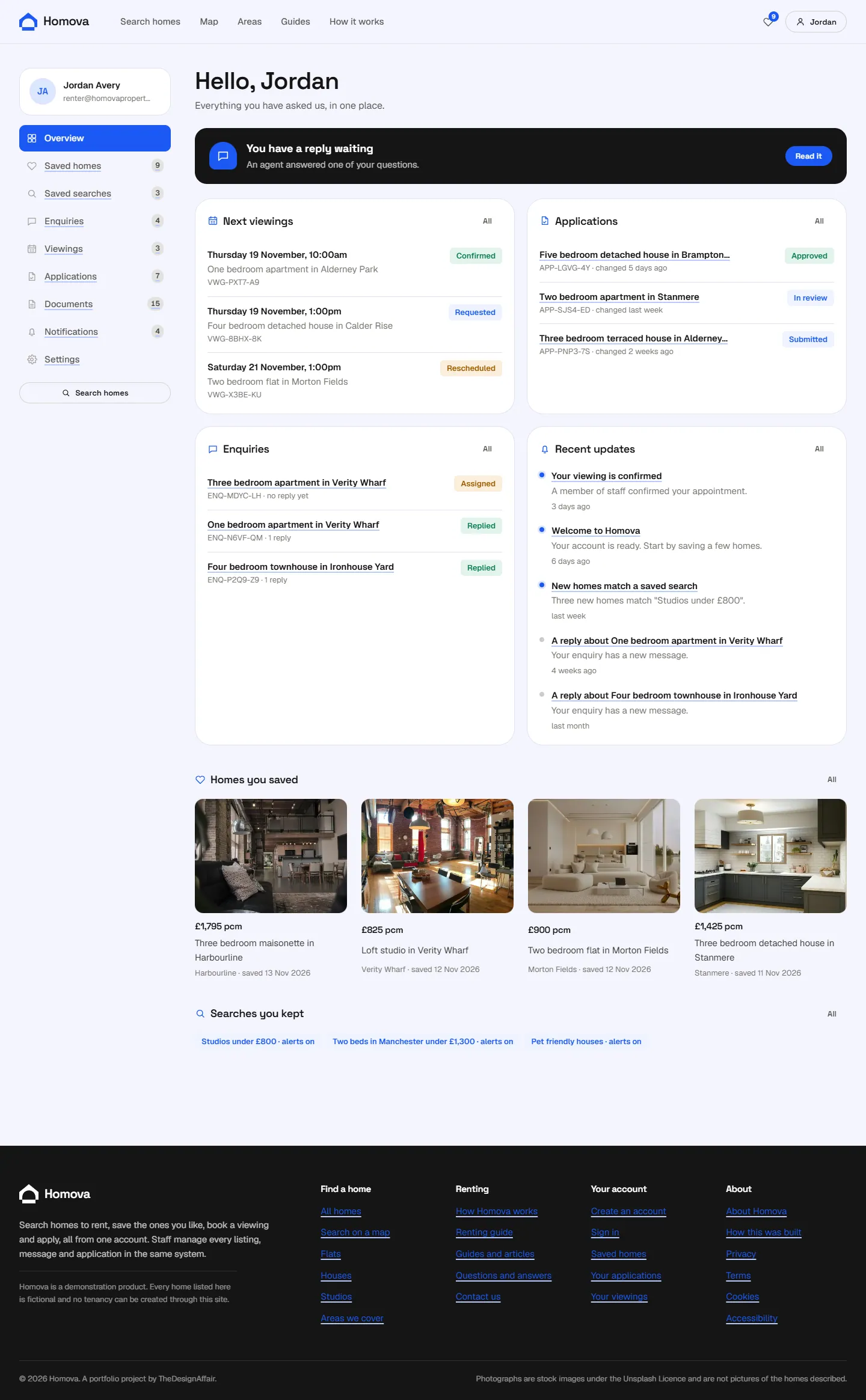
A home is kept with the date and an optional note. Status is re-checked on every visit, so a home that has gone is marked.
100 enquiries in the catalogue, each with a reference and a reply thread the renter and the agent share.
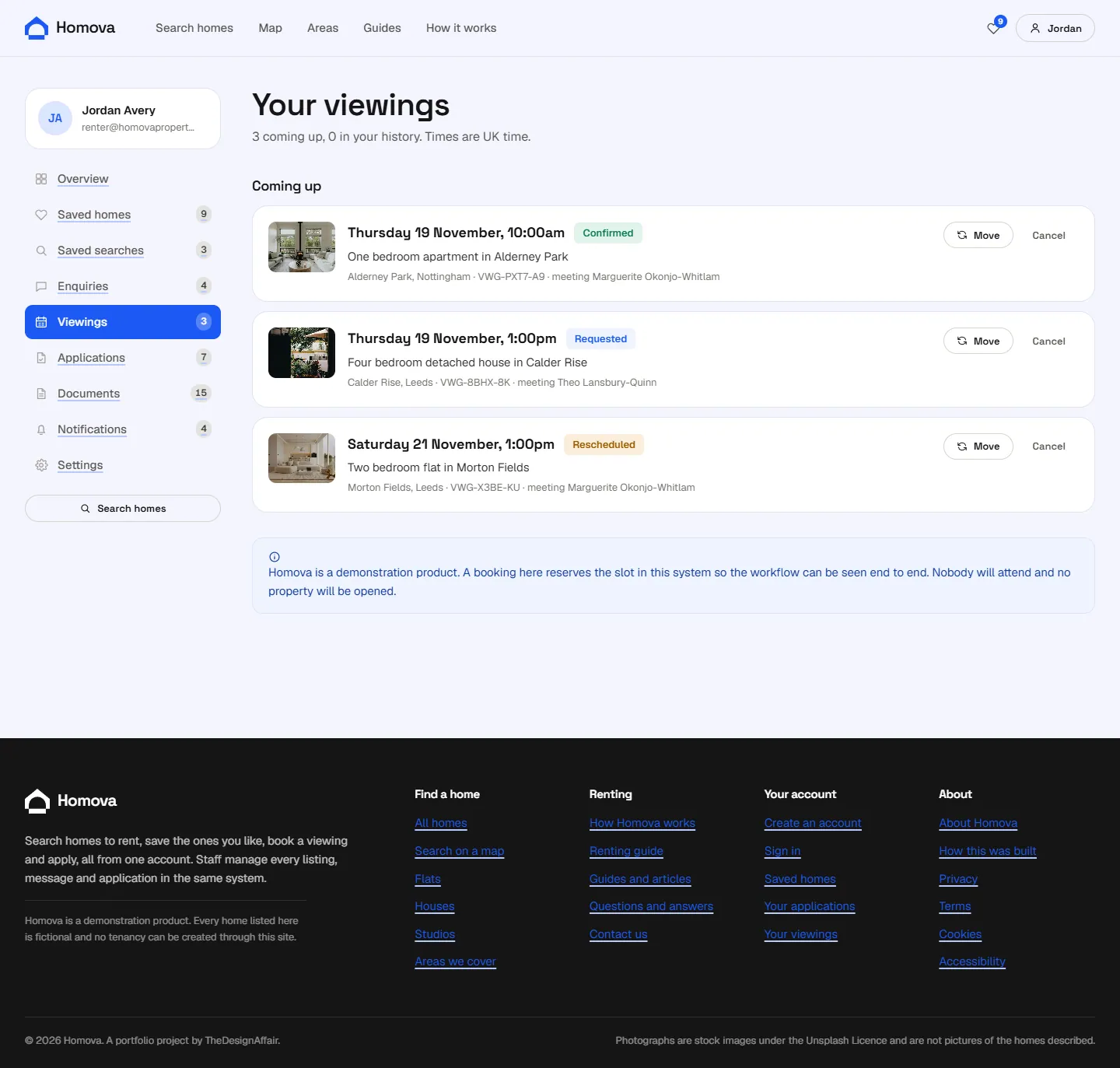
1,108 slots exist because staff opened them. Two people cannot take the same one: the database refuses it.
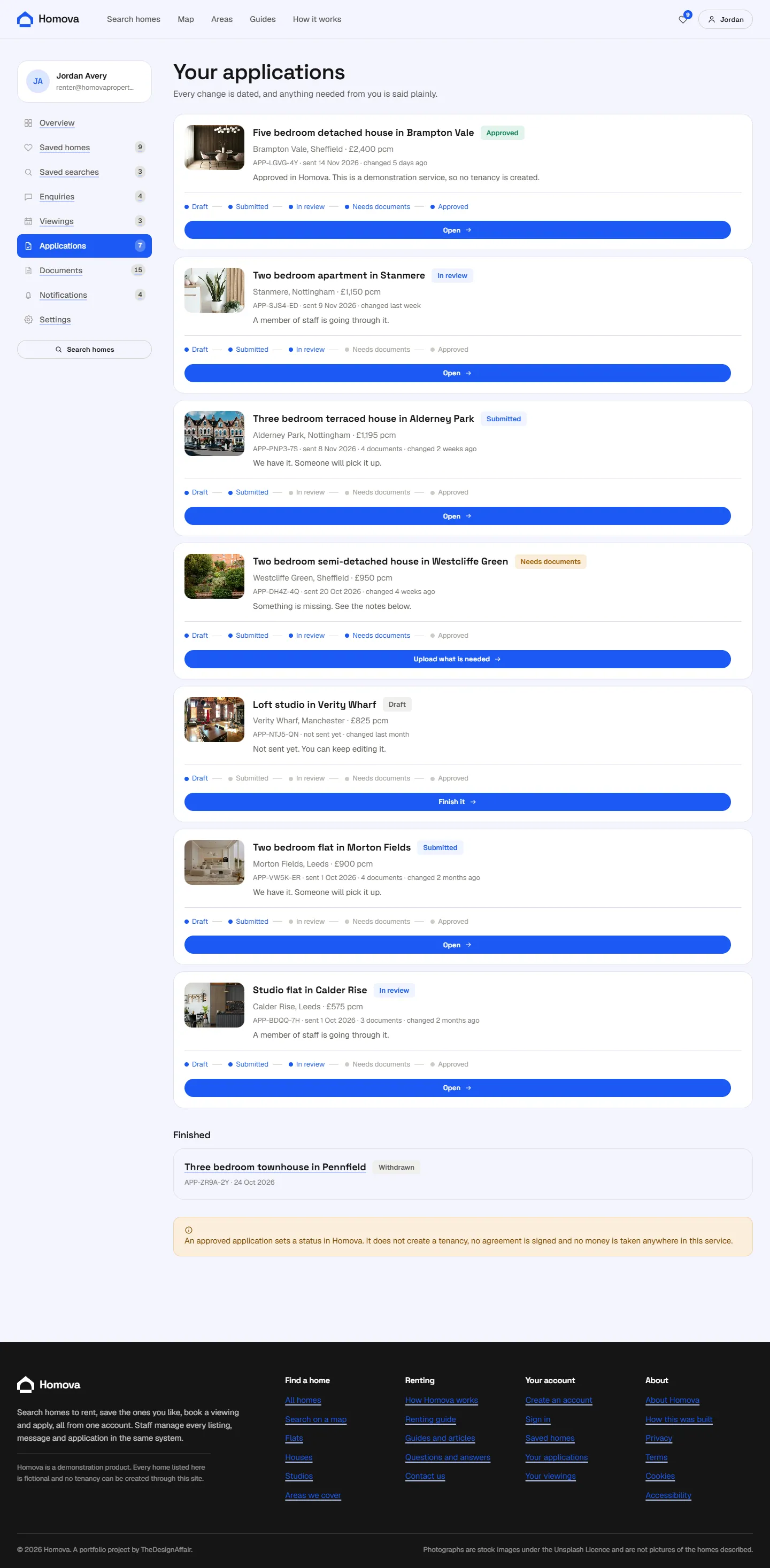
A four-step form that saves as a draft. 116 documents uploaded, each stored privately.
139 timeline events. Every status change is dated and attributed.
The staff application
On its own host, behind a role check on every page and every action.
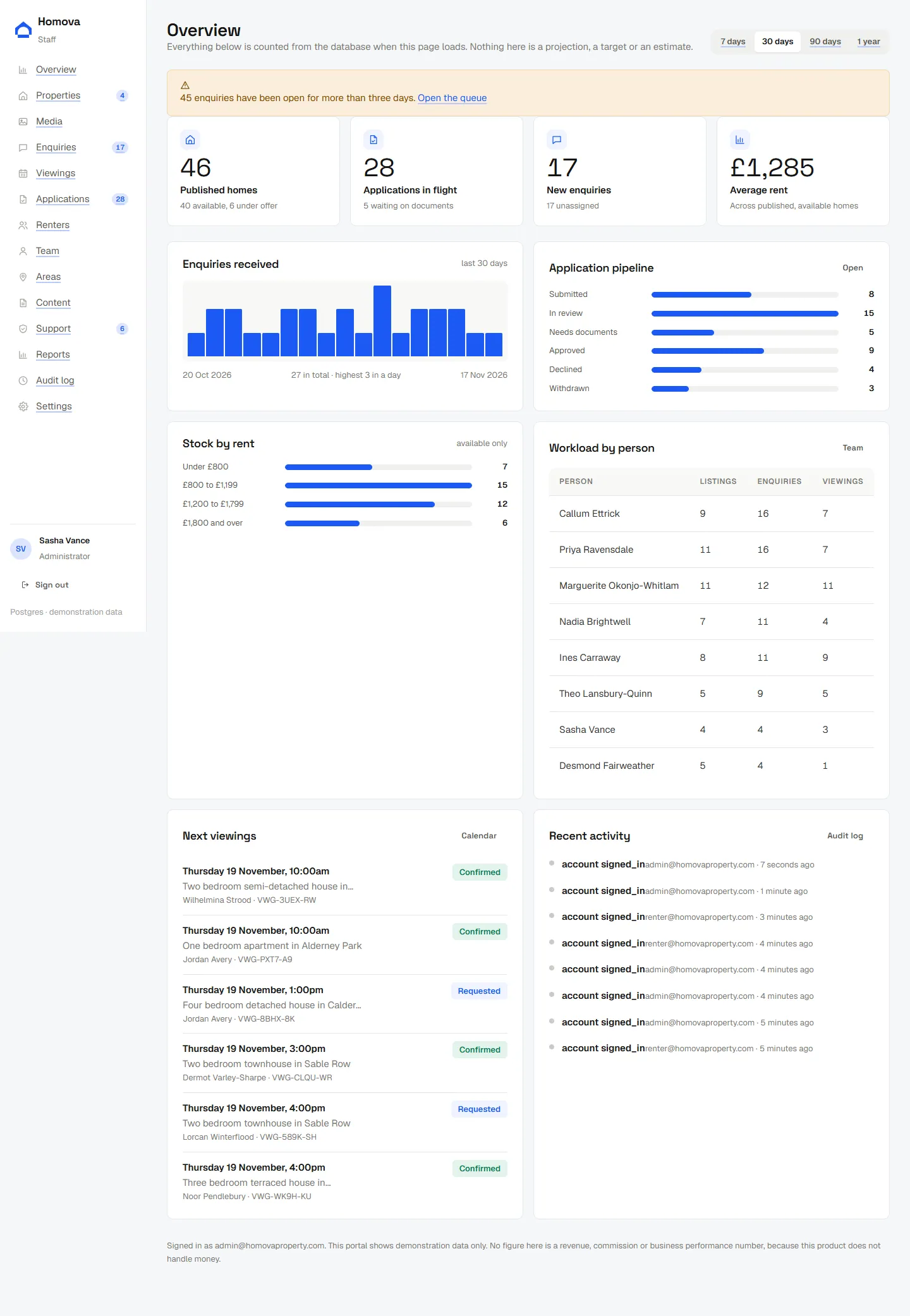
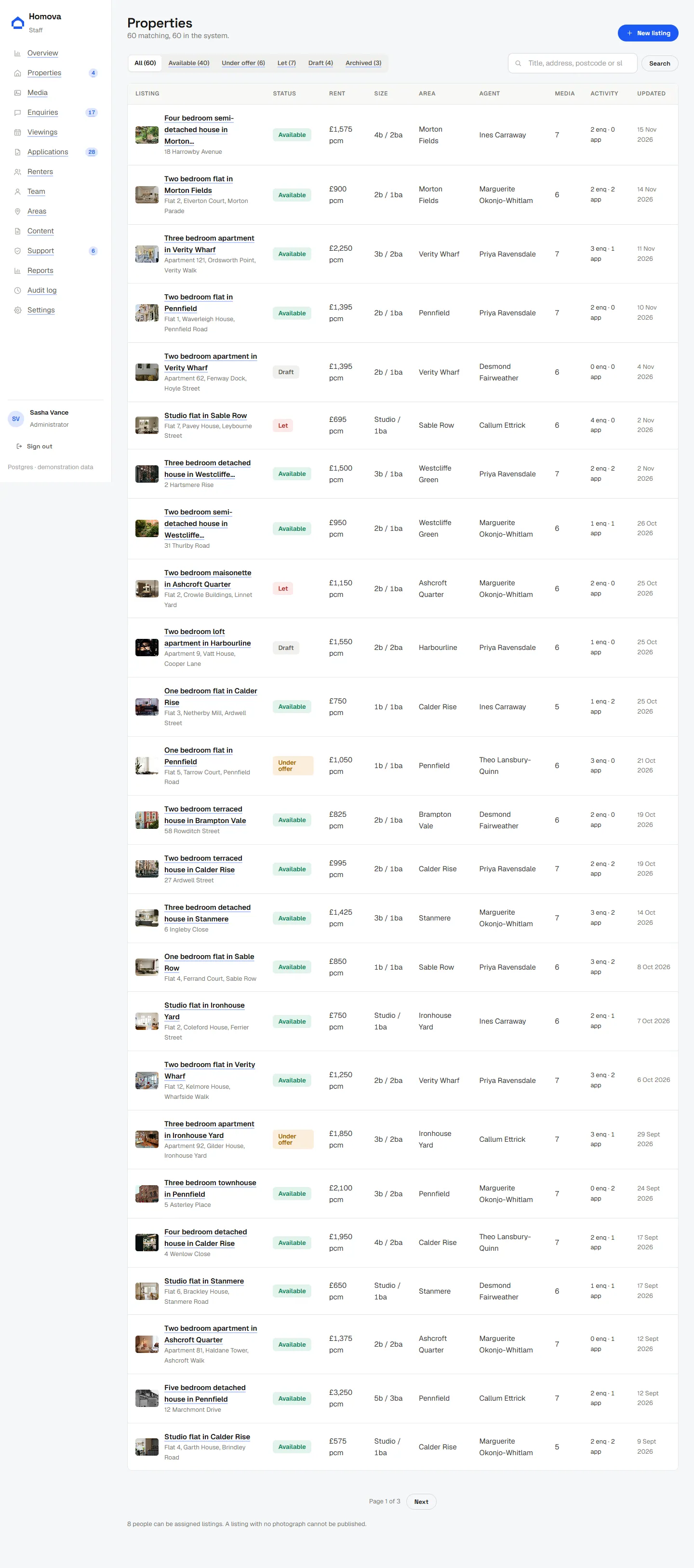
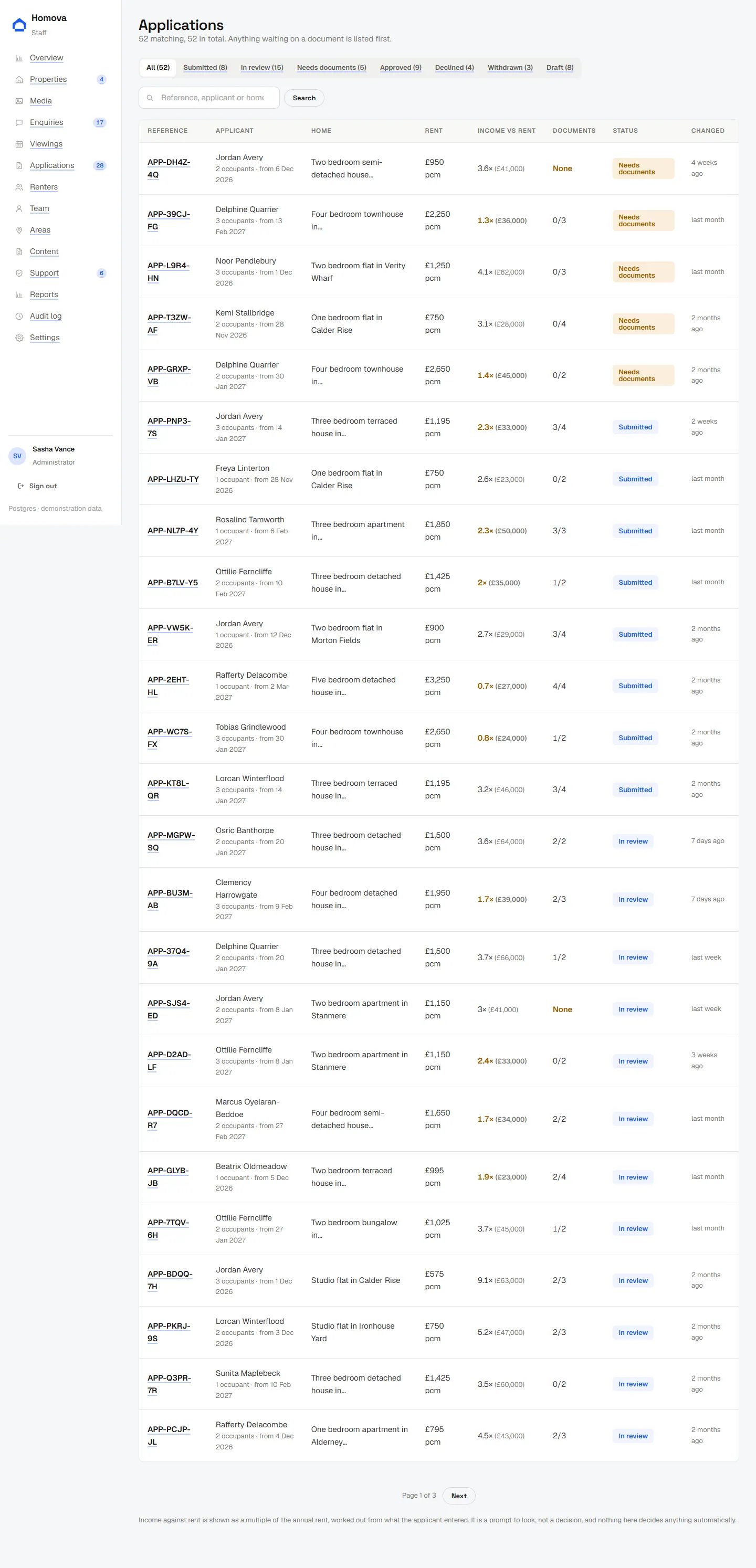
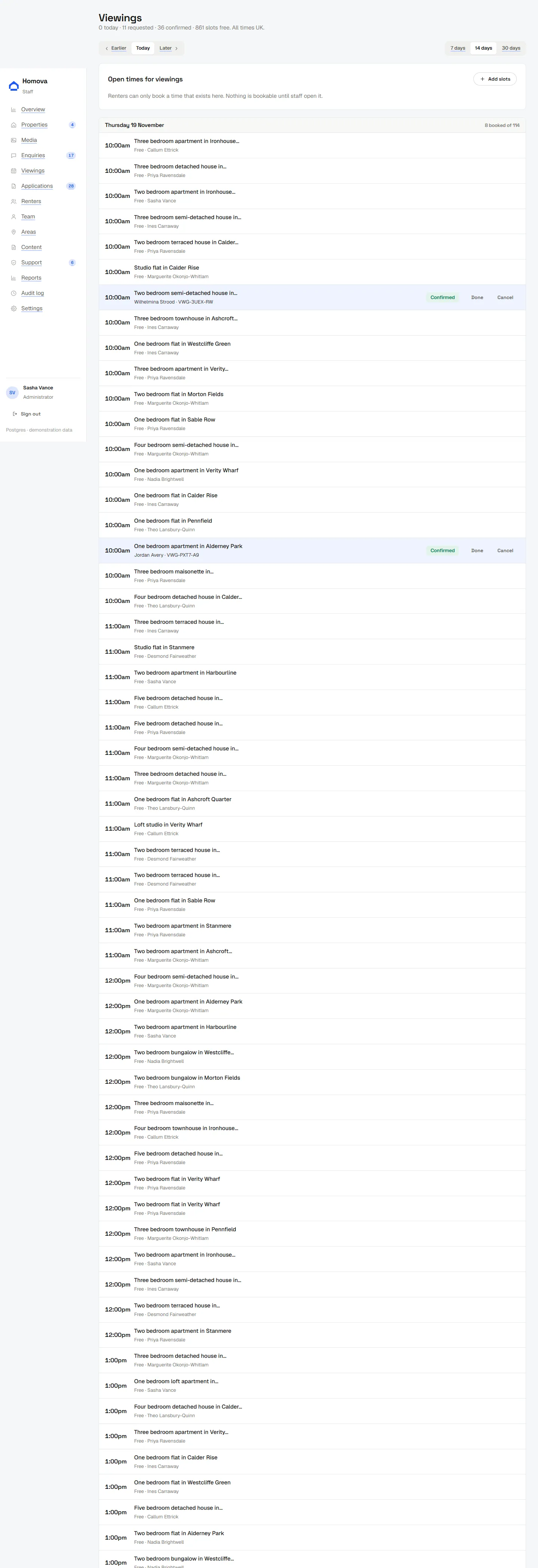
admin.homovaproperty.com serves the staff application and nothing else, and the public domain has no admin URLs on it at all. That split is routing, not security: every admin page also checks the signed-in role on the server, and so does every action that writes.
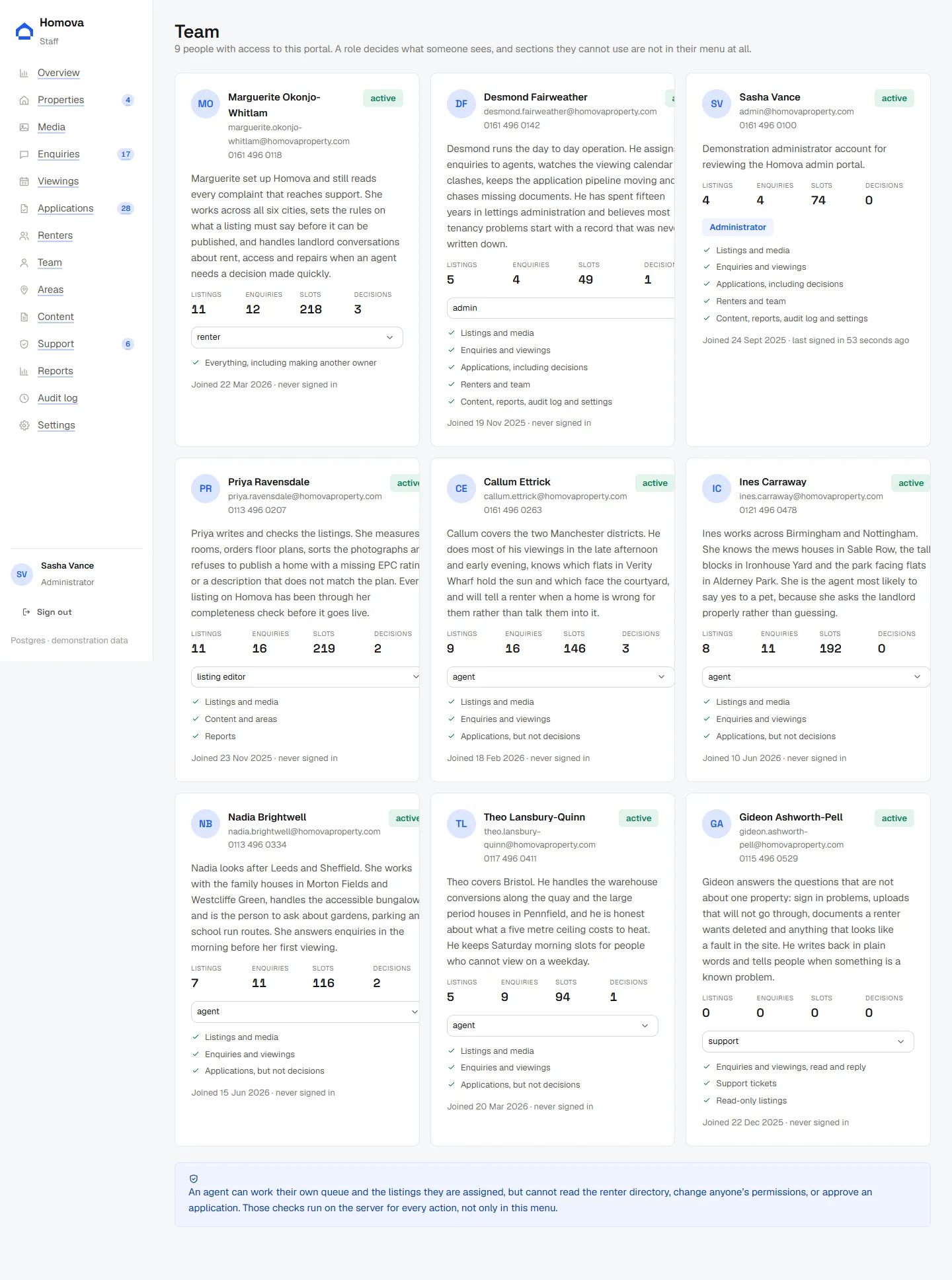
An agent can work their own queue and the listings they are assigned, but cannot read the renter directory, change permissions, or approve an application. A listing editor can publish but never sees an application. Support can reply but cannot decide anything.
The database
26 tables, with the rules that matter enforced by Postgres rather than by hope.
Two rules can never be allowed to break, so neither is left to application code. A unique partial index stops two people holding the same viewing slot, and another stops one renter holding two live applications on the same home. If two requests arrive at the same instant, one wins and the other gets an honest error.
Everything goes through one query function with bound parameters. There is no string interpolation into SQL anywhere in the application. Foreign keys cascade, so deleting an account genuinely removes what belongs to it.
- Properties
- 60 (53 published)
- Photographs
- 379 (379 credited)
- People
- 21 renters, 9 staff
- Enquiries
- 100 with 175 messages
- Viewing slots
- 1,108 with 72 bookings
- Applications
- 52 with 116 documents
- Saved
- 56 homes, 33 searches
- Content
- 10 guides, 26 answers
- Areas
- 12 districts, 40 features
Properties by status
Applications by status
Security and privacy
The decisions that would be embarrassing to get wrong.
- Passwords
bcrypt hashes. No password is ever readable, by staff or anyone else.
- Sessions
A 256-bit random token in an httpOnly, SameSite cookie. Only its SHA-256 hash is stored, so a copy of the sessions table is not a set of working keys.
- Documents
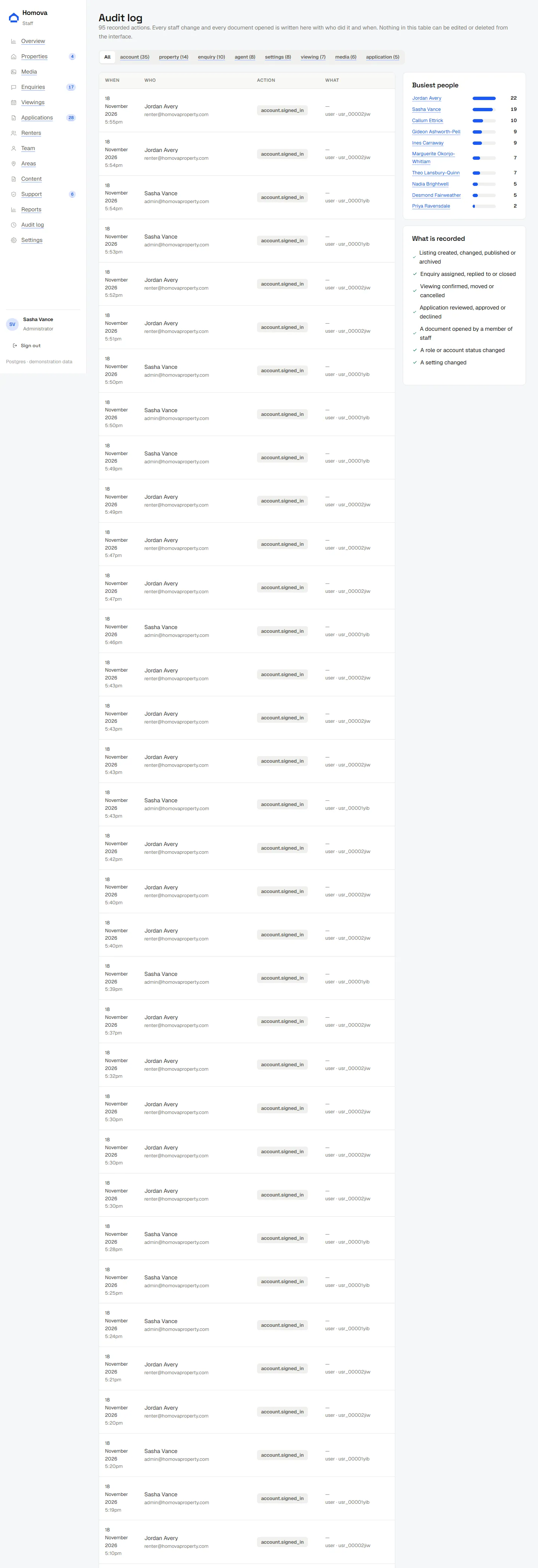
Uploaded files live in the database, not in a public bucket. There is no URL to guess or forward. Every staff download is written to the audit log with their name.
- Upload checks
The file type is checked against its real first bytes, not the type the browser claims, and the size limit is enforced server-side.
- Cross-renter access
Every query for a renter record is scoped by the signed-in user id. Another person’s enquiry is simply not found, which is the same answer a non-existent one gives.
- Account enumeration
Registering, signing in and resetting a password all answer the same way whether or not an address has an account.
- Internal notes
Staff notes on an enquiry are flagged internal and are never returned to a renter by any query.
- Analytics
No name, email address, phone number, document or application answer is ever sent to an analytics provider. Nothing is measured at all until consent is given.
- Your data
A renter can download everything held about them as JSON, and delete the account and all of it.
17 branded messages, written and tested.
Registration and verification, password reset and change, enquiry acknowledgement and reply, viewing confirmed, moved and cancelled, application received, status changed and documents requested, contact acknowledgement, and the matching staff notifications. Each is sent as plain text and as HTML built with tables and inline styles, because that is what mail clients actually support.
Current state: no email provider is connected to this deployment, so nothing is sent. Every place in the product that would send a message says so on screen instead of claiming an email is on its way. Connecting one is three environment variables and no code change.
Findable, and measurable with permission
Titles and descriptions per page, a sitemap from the database, and analytics that waits to be asked.
Every public page has its own title, description and canonical URL. The sitemap is generated from the database and lists only homes that are genuinely published, so a crawler is never sent to a page that will 404. Private areas are excluded in robots.txt and also return noindex headers, because a robots file is a request rather than a control.
Filtered search pages are deliberately noindex: they are the same homes in a different order, and letting a crawler at them would be thin duplicate pages by the thousand. Structured data is published only for homes genuinely on the market, and it states that the listing is a demonstration.
- Sitemap
- Generated from the database
- Robots
- Private areas excluded and noindex
- Canonical host
- One host, www redirected 308
- Structured data
- Residence and FAQ, where justified
- Images
- WebP at three widths, lazy below the fold
- Analytics
- Consent first, no personal data
Measurement is wired to a Tag Manager dataLayer with eleven named events: search, filter use, listing viewed, saved, enquiry started and sent, viewing started and requested, application started and submitted, contact sent. Consent mode is set to denied before the container can load, and nothing fires until a visitor agrees.
Built with
Actual versions, from the project's own manifest.
Database in use by this deployment: hosted Postgres. Hand-written CSS throughout, with no UI framework and no component library, so the design system is the product’s own rather than a theme over someone else’s.
On a phone
Every page was built and checked at 375 wide as well as 1440.




What is not finished
Stated here rather than left for someone to discover.
- Custom domains
homovaproperty.com and admin.homovaproperty.com are attached to the project and verified, but their DNS still points at the registrar’s parking page. Two records move the live site across.
- Email delivery
Templates are written and tested, and the provider is not connected on this deployment. Nothing claims to have sent an email that was not sent.
- Google integrations
Search Console, Analytics, Tag Manager and Ads conversions are prepared in code and inactive until authorised identifiers are set. No measurement, campaign or conversion figure is claimed anywhere.
- Photography
Every image is a stock photograph under the Unsplash Licence, credited to its photographer. Images containing identifiable people or readable third-party marks were removed rather than published.
See it running
The catalogue, the account and the staff portal are all live and populated.